
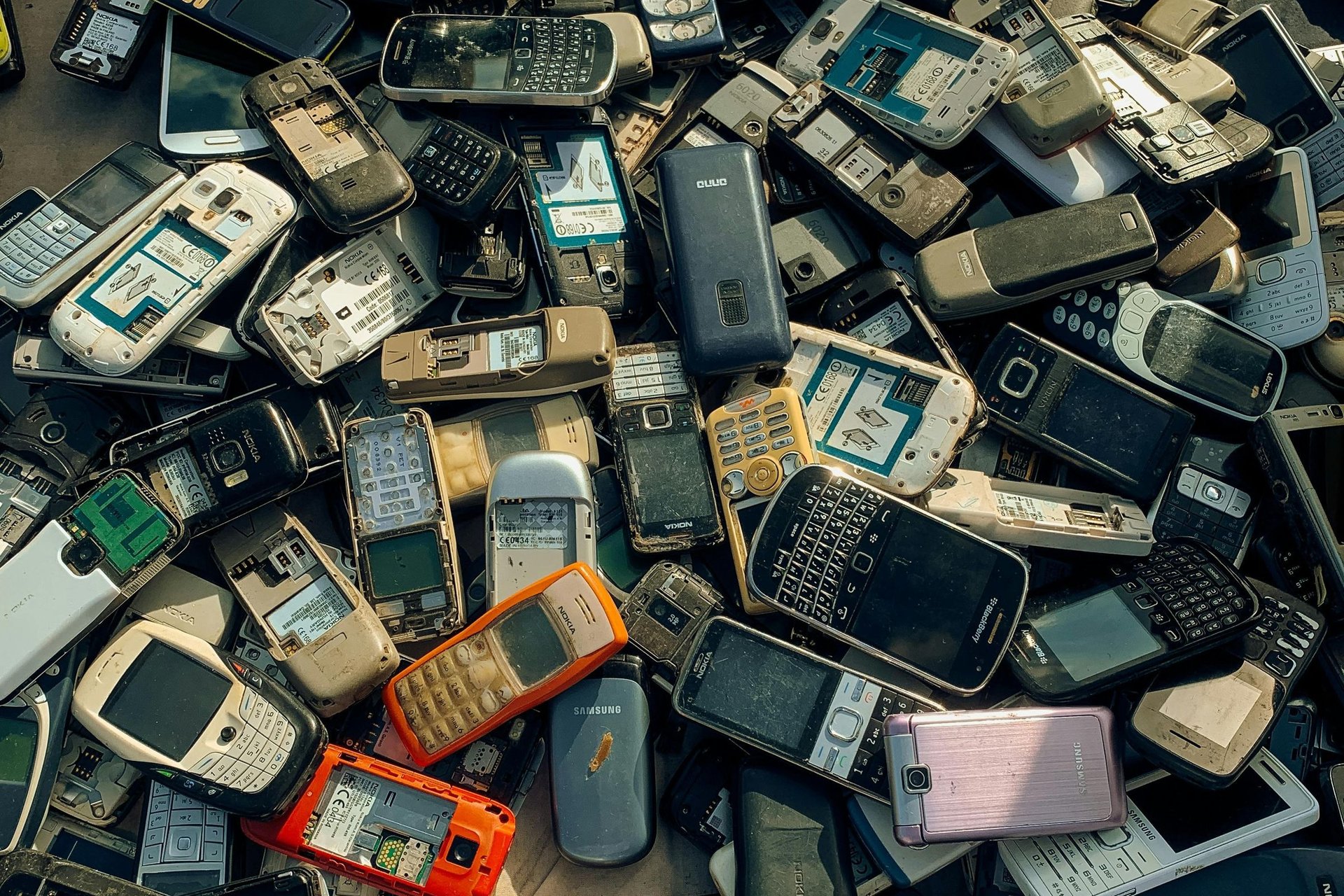
Every business has a drawer like this. Inside it sit three dead phones, a laptop with a swollen battery, and a tablet nobody has touched since 2023. One day someone finally clears the drawer. The devices go to a staff member’s cousin, a buyer at Computer Village, or the man who collects scrap at the gate, and the business moves on. What also moves on, quietly, is everything those devices still hold: customer chats, bank app logins, saved passwords, invoices, and photographs of documents. Deleting a few files before a device leaves is not protection. This article shows how to retire old phones and laptops so your data retires with them, permanently.
What is still living on that old device
Your customer conversations never really left. Years of WhatsApp chats sit on that phone: customer phone numbers, delivery addresses, price negotiations, and complaints you resolved privately. Whoever holds the device holds your customer list in its most honest form, including the discounts you swore were special to each person. A competitor, or a fraudster looking for people who trust your business name, would find that drawer phone more useful than your advert has ever been.
Your accounts are still signed in. The old phone is probably still logged into your business email, your social media pages, and possibly a banking or payment app. Email is the dangerous one, because it is the master key: whoever controls the inbox can reset the password on almost every other account you own. A device does not need your password to betray you. It only needs to have been signed in on the day you stopped using it.
Deleted files are usually still there. When you delete a file, the device mostly removes the label and marks the space as free. The content stays until something else overwrites it, and free recovery tools can pull it back in minutes. Photographs of cheques, staff ID cards, signed contracts, and customer documents in the gallery and downloads folder are the usual haul. Deleting is tidying. It is not wiping, and the difference matters on the day a stranger goes looking.
Phones: back up, sign out, then reset
Back up what the business still needs, first. Move the photos, documents, voice notes, and contacts the business cannot afford to lose to the replacement phone or a cloud folder, and confirm the WhatsApp backup completed before you touch anything else. Wiping is deliberately irreversible. The order of operations is the whole game: copy, verify the copy, then destroy the original. Every regret in this process comes from doing those steps in the wrong order.
Sign out of every account before you reset. Remove the Google, Apple, or Samsung account from the phone, and sign out of banking, email, and social media apps individually. This matters for two reasons. A phone still tied to your Apple ID or Google account can expose those accounts to its next holder, and the same lock makes the phone nearly unsellable, because activation locks exist to frustrate thieves and they frustrate honest buyers exactly the same way.
Use the factory reset, and treat very old phones differently. Modern phones encrypt their storage by default, so a factory reset destroys the encryption keys and leaves the new owner with scrambled data nobody can read. Very old Android phones may not encrypt by default. For those, reset once, fill the storage with large harmless files such as recorded video, then reset again. Finally, remove the SIM card and any memory card. Cards carry contacts and photos of their own and should be wiped or destroyed separately.
Laptops and desktops need a stronger goodbye
Back up, sign out, and deauthorize. Copy every file the business needs to its proper home, then sign out of email, cloud storage, accounting software, and banking in the browser. Where software counts your devices, like accounting or design tools, deauthorize the old machine properly. A laptop that leaves still signed into your cloud storage is a window into the business that you have handed to a stranger, and saved browser passwords make the window wider.
Use the built in reset with drive cleaning switched on. On Windows, Reset this PC offers the option to remove files and clean the drive. Choose it. On a Mac, use Erase All Content and Settings, which does the equivalent job. A quick format or a simple file deletion leaves data recoverable for anyone with free software and an afternoon. The cleaning option takes longer, sometimes a few hours, and that time is the price of the data actually being gone.
For the most sensitive drives, overwrite or destroy. If a hard drive held payroll, tax records, or customer financial data, and it is an older spinning drive, consider removing it before the machine goes anywhere. A replacement drive costs little, IT disposal services in Lagos will shred or drill a drive for roughly ₦5,000 to ₦15,000, and a drive with holes in it has never leaked anything. When in doubt, keep the drive in a labelled box and sell or donate the machine without it.
Choose the exit route deliberately
Selling is fine, after the wipe, and the money is real. A wiped five year old business laptop in decent condition still sells for ₦40,000 to ₦150,000, and wiped phones fund a useful part of their own replacement. The wipe is what makes selling safe. Businesses that fear selling old devices usually fear the data, so remove the data and take the money without guilt.
Donations and staff giveaways follow the same rules. A phone given to a loyal staff member, a school, or a family member still gets backed up, signed out, and reset first. Generosity is not a reason to hand anyone your customer list, and the recipient does not want your accounts either. A clean device is a better gift than a loaded one, for everyone involved.
Keep a one line disposal record. For each device, note what it was, the serial number if you have it, the date, how it was wiped, and where it went. One line in a spreadsheet is enough. If a leak ever surfaces and questions come, that record is how you show the device left clean and when. It also stops the quiet problem of devices walking away unwiped because nobody owned the decision.
The bottom line
Old devices are not junk. They are filing cabinets that fit in a pocket, and they should leave your business the way a good employee leaves: with everything handed over and nothing taken along. Back up first, sign out of every account, reset phones and clean drives on laptops, destroy the drives that held your most sensitive records, and write down what went where. Thirty careful minutes per device is a small price against the cost of your customer list, your inbox, and your bank access greeting a stranger.
Recommended: Grow Your Business Online
- Facebook Ads Domination (for Business Owners) — learn to run profitable Facebook ads and get more customers ($21). Check it out
- Facebook Advertising In 60 Minutes — fast-track course to launch your first ads in an hour ($50). Check it out
- FAF Mastery System — Facebook ads plus sales funnels that turn clicks into customers ($15). Check it out
Disclosure: These are affiliate links. If you buy through them, I may earn a commission at no extra cost to you.


Leave a Reply