
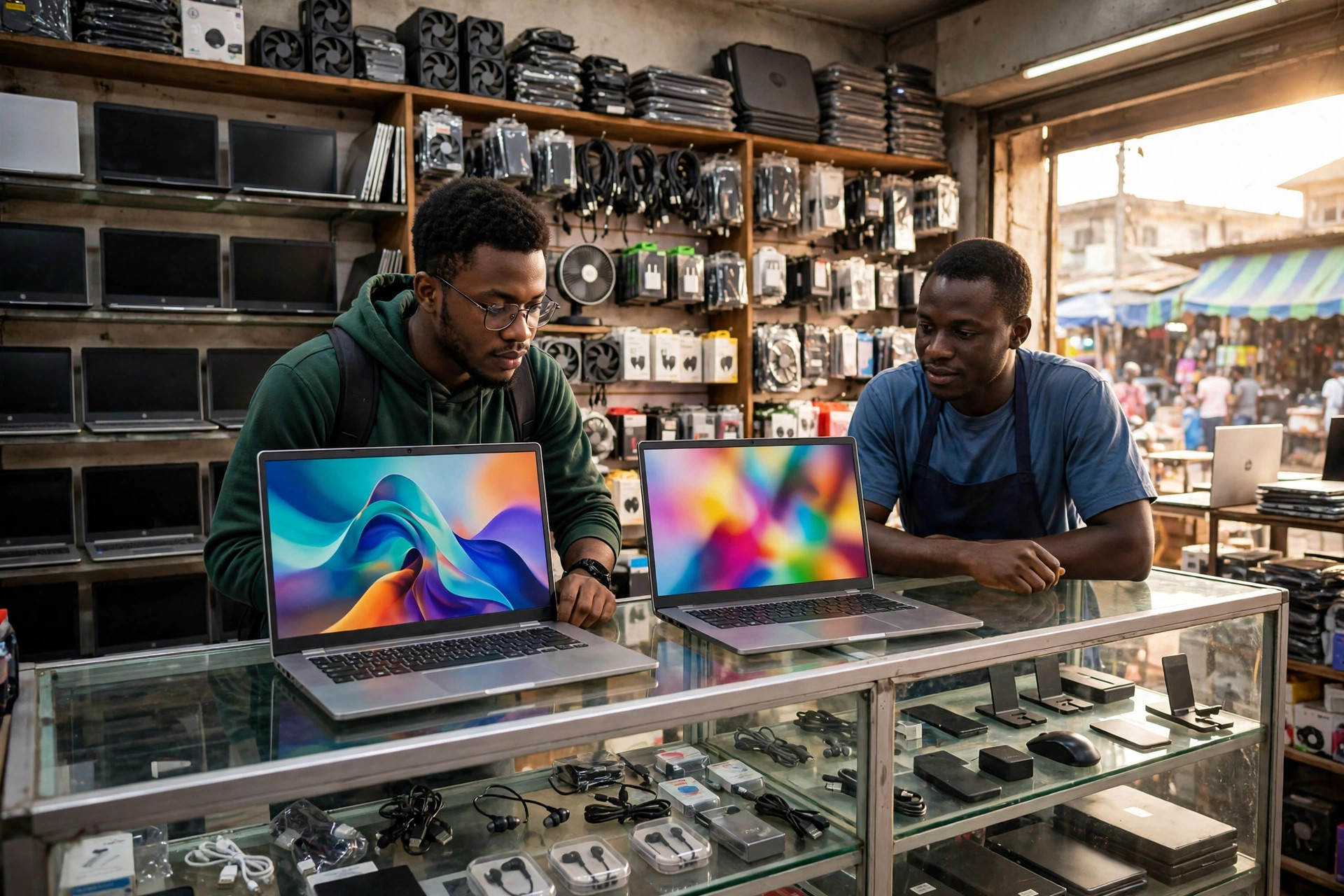
Walk into Computer Village in Ikeja with money in hand and you will be surrounded, sellers shouting specifications like auction prices, Core i7, 8GB, 1TB, as if the biggest numbers settle everything. They do not. For web design and development work, some specifications decide whether your days are smooth or miserable, and others are decoration you should refuse to pay for. This guide walks through what actually matters for tools like VS Code, Figma, and Chrome with twenty tabs open over a local server, then maps it to honest Nigerian price ranges, new and foreign used, so you can buy once and buy well.
The specifications that actually matter
RAM is the first place your money should go. Development work is a memory feast. A code editor, a browser with many tabs, Figma, a local development server, and maybe Docker all run at the same time. Treat 16GB as the practical target. 8GB can survive light front end work and WordPress, but you will feel it strain within a year, and 32GB is a comfort upgrade for heavy work, not a starting requirement.
Processor generation matters more than the badge. Sellers push old Core i7 machines as premium, but a recent Core i5 or Ryzen 5 will beat a Core i7 from six or seven generations ago, while using less power and producing less heat. As a working rule, look for Intel Core i5 or i7 from the 11th generation upward, AMD Ryzen 5 or 7 from the 5000 series upward, or any Apple M series chip. Below that, prices should drop sharply, whatever the sticker says.
Storage must be an SSD, and 512GB is the comfortable size. A mechanical hard drive makes even a strong laptop feel broken, slow boots, slow searches, slow everything. If a machine has a hard drive, walk away or price in an immediate SSD swap. 256GB works if you are disciplined and keep projects tidy, but code tools, design files, and offline resources fill space faster than you expect.
The screen matters more than most buyers think. You will stare at it eight hours daily, and design work needs a panel that shows colours honestly. Look for a 14 inch to 15.6 inch screen, Full HD (1920 x 1080) resolution, and an IPS panel. Avoid dim TN panels and low resolution 1366 x 768 screens, they make design judgement guesswork and tire your eyes.
Specifications you can stop paying extra for
A dedicated graphics card is usually unnecessary. Web design and development, including Figma and Photoshop, run well on modern integrated graphics. Pay for a graphics card when your work includes serious video editing, 3D, or gaming on the side. Otherwise it adds cost, weight, heat, and battery drain to a machine that never uses it.
Touchscreens and 4K displays drain budget quietly. They look impressive in the shop, add little to daily coding or design work, and often cut battery life. A good Full HD IPS screen beats a flashy 4K panel on a weaker machine.
Gaming branding cuts both ways. Gaming laptops carry strong processors and good cooling, and older models are sometimes genuine bargains. But you pay in weight, bulk, and short battery life, which matters if you carry the machine daily. Decide with your routine, not the showroom lights, in mind.
New versus foreign used, honestly
Foreign used business laptops are the smart money for many Nigerian developers. Machines like the Lenovo ThinkPad T series, Dell Latitude, and HP EliteBook were built for companies, so they survive travel, heat, and daily abuse better than cheap new consumer laptops. For example, a ThinkPad T480 or T490 with 16GB RAM and an SSD commonly sells around ₦320,000 to ₦520,000 depending on condition and seller. A two or three year old used MacBook with an M1 chip commonly lands around ₦850,000 to ₦1,300,000, and still outperforms most new Windows laptops in its price band for design work.
A comparable new machine costs meaningfully more. Budget for roughly ₦750,000 to ₦1,500,000 for a new laptop that comfortably meets the specifications above, from known brands with local warranty. Cheaper new laptops exist, but they usually cut the corners this guide warns about, 8GB RAM you cannot upgrade, dim screens, slow storage, and processors several generations old.
Whichever route you choose, inspect like a landlord. On a used laptop, check battery health, every key on the keyboard, the screen for spots and lines, the charging port for looseness, and confirm the charger is original. Buy from a seller who gives you a short testing window, a week or two, in writing. An honest seller expects inspection. A troubled one rushes it.
Match the machine to your kind of work
Front end development and WordPress work is the lightest load. A recent Core i5 or Ryzen 5, 16GB RAM, and a 512GB SSD will serve you for years, and even a well chosen 8GB machine can start the journey if the budget is tight and the RAM can be upgraded later.
Design heavy work shifts priority to the screen and RAM. If your days live inside Figma and Photoshop with large files, keep 16GB as your floor and judge screens in person before paying. Colour honesty is not a luxury in design work, it is the work.
Backend development, Docker, and Android work is the heaviest load. Android Studio with an emulator, or several Docker containers running together, will humble a light machine. Here, 16GB is the true minimum, 32GB is genuinely comfortable, and a stronger processor pays for itself in waiting time saved daily.
Budget for the realities around the laptop
Power cuts are part of the specification. Long battery life is not a bonus in Nigeria, it is a feature you will use weekly. Prefer machines known for six or more real hours, and note that laptops charging over USB-C can top up from strong power banks, which rescues many deadline nights.
Leave money for the second round of purchases. A RAM upgrade later, an external monitor for your desk, a good mouse, and a laptop bag that survives danfo and okada journeys all belong in the real budget. A slightly cheaper laptop plus these often beats a flagship carried in a nylon bag.
The bottom line
Buy memory and storage speed first, a recent processor second, and an honest screen third, and let graphics cards, touchscreens, and badge prestige fight for whatever money is left. In the Nigerian market, an inspected foreign used business laptop is often the best value a developer can get, while a new machine buys warranty and peace of mind at a higher price. Either way, check the machine like you will depend on it, because your income will.
Recommended: Grow Your Business Online
- Facebook Ads Domination (for Business Owners) — learn to run profitable Facebook ads and get more customers ($21). Check it out
- Facebook Advertising In 60 Minutes — fast-track course to launch your first ads in an hour ($50). Check it out
- FAF Mastery System — Facebook ads plus sales funnels that turn clicks into customers ($15). Check it out
Disclosure: These are affiliate links. If you buy through them, I may earn a commission at no extra cost to you.


Leave a Reply